
Best HomeKit Compatible Smart Home Devices 2026

Building a smart home around Apple HomeKit has never been easier. Thanks to Matter, Thread, and faster Apple Home hubs, today's best HomeKit compatible devices are more reliable, respond almost instantly, and work together without depending heavily on cloud services.
Whether you're starting your first Apple smart home or upgrading an existing setup, choosing the right HomeKit accessories makes a huge difference. The best HomeKit devices combine excellent hardware with local automation, strong privacy protections, and effortless Siri control.
In this guide, we'll cover the best HomeKit compatible devices across every major smart home category, including hubs, smart locks, cameras, lighting, thermostats, sensors, and smart plugs.
What Are the Best HomeKit Compatible Devices in 2026
Here are our top HomeKit compatible device picks by category, covering hubs, locks, cameras, lighting, thermostats, smart plugs, and more.
| Category | Best Pick |
|---|---|
| Home Hub | Apple TV 4K (3rd Generation) |
| Voice Assistant | HomePod mini |
| Smart Lock | Schlage Encode Plus |
| Hidden Smart Lock | Level Lock Pro |
| Outdoor Camera | Aqara Camera Hub G5 Pro |
| Video Doorbell | Aqara Video Doorbell G4 |
| Smart Lighting | Philips Hue Starter Kit |
| Smart Switch | Lutron Caseta Dimmer |
| Smart Bulb | Nanoleaf Essentials |
| Thermostat | ecobee Smart Thermostat Premium |
| Smart Plug | Eve Energy |
| Security System | Abode Smart Security |
What Makes a Great HomeKit Device?
Not every accessory that says "Works with Apple Home" offers the same experience.
The best HomeKit compatible devices should provide:
- Native Apple Home integration
- Local control whenever possible
- Thread or Matter support
- Fast response times
- Reliable automations
- Secure encryption
- Long software support
- Siri compatibility
- HomeKit Secure Video (for cameras)
If you're buying new hardware in 2026, prioritize Matter over Thread whenever possible to future-proof your investment.
What are the best Apple HomeKit compatible devices?
There are lots of HomeKit enabled devices from all smart home categories. Not only Apple’s devices but there are many other devices from different Brands. Having the right HomeKit devices in your home allows the ultimate in smart home convenience.
Further, it is important to know the best HomeKit compatible devices as well as how to make devices HomeKit compatible. Here's a list of the Best HomeKit Devices we talk about:
- Best HomeKit Compatible Smart Speaker
- Best HomeKit Compatible Indoor Security Camera
- Best HomeKit Compatible Outdoor Camera
- Best HomeKit Compatible Video Doorbell
- Best HomeKit Compatible Thermostat
- Best HomeKit Compatible Smart Lighting Starter Kit
- Best HomeKit Compatible Smart Bulb
- Best HomeKit Compatible Smart Lock
- Best HomeKit Compatible Hidden Smart Lock
- Best HomeKit Compatible Smart Plug
- Best HomeKit Compatible Smart Dimmer Switch
- Best HomeKit Compatible Hub - Apple TV 4K (3rd Generation)
- Best HomeKit Compatible Security System
Best HomeKit compatible smart Speaker
Apple HomePod mini
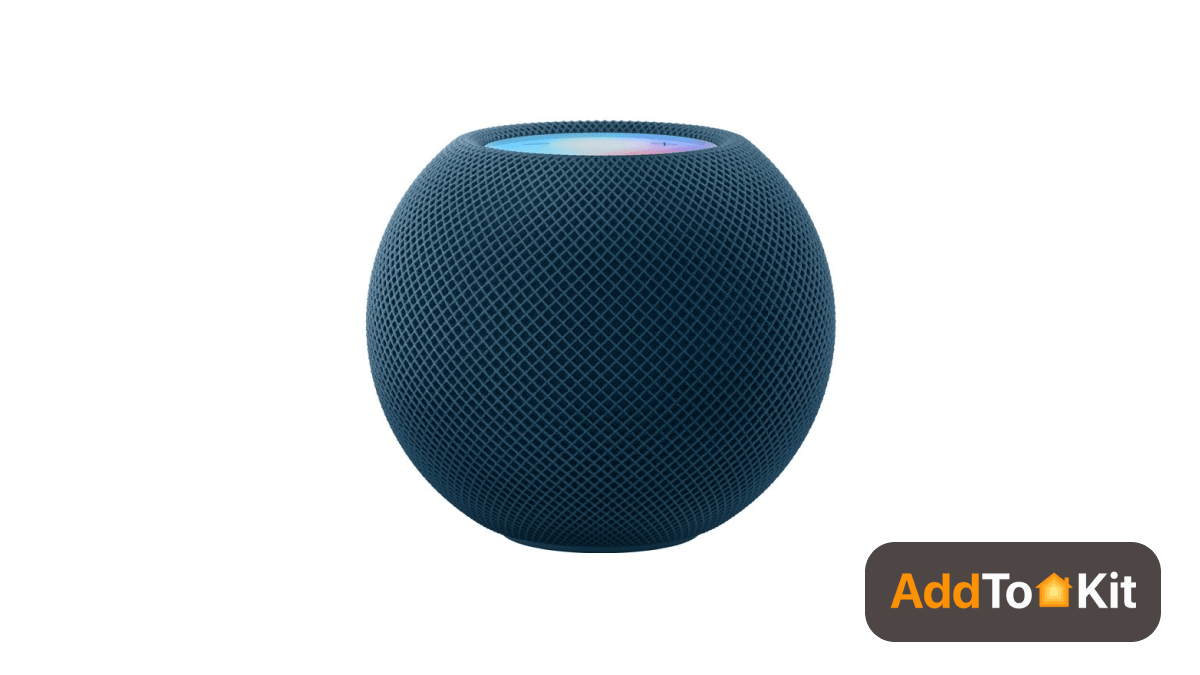
Apple HomePod mini is one of the best HomeKit compatible devices for you. It has a small attractive design like an Apple. It has:
- 125-degree field of view
- Great audio
- Massive radiator
- Attractive design
- Competitive price
- Multi-room listening
It is fantastic. It works as a Homekit hub. Also, it can be paired in stereo and linked with the Apple TV 4K. Further, it is more affordable Apple’s smart speaker with great sounds.
If you pair two HomePod minis for stereo, it works as the output for the Apple TV. There are many Apple HomeKit-supported devices in the market now.
Best HomeKit compatible smart Speaker - Key specification
| Size | 3.9 x 3.9 x 3.3 inches |
| Weight | 0.76 pound |
| Microphones | 4 |
| Color | White, Space Gray |
| Speaker | 1 |
Best HomeKit compatible indoor security camera
Eufy Solo indoorCam C24
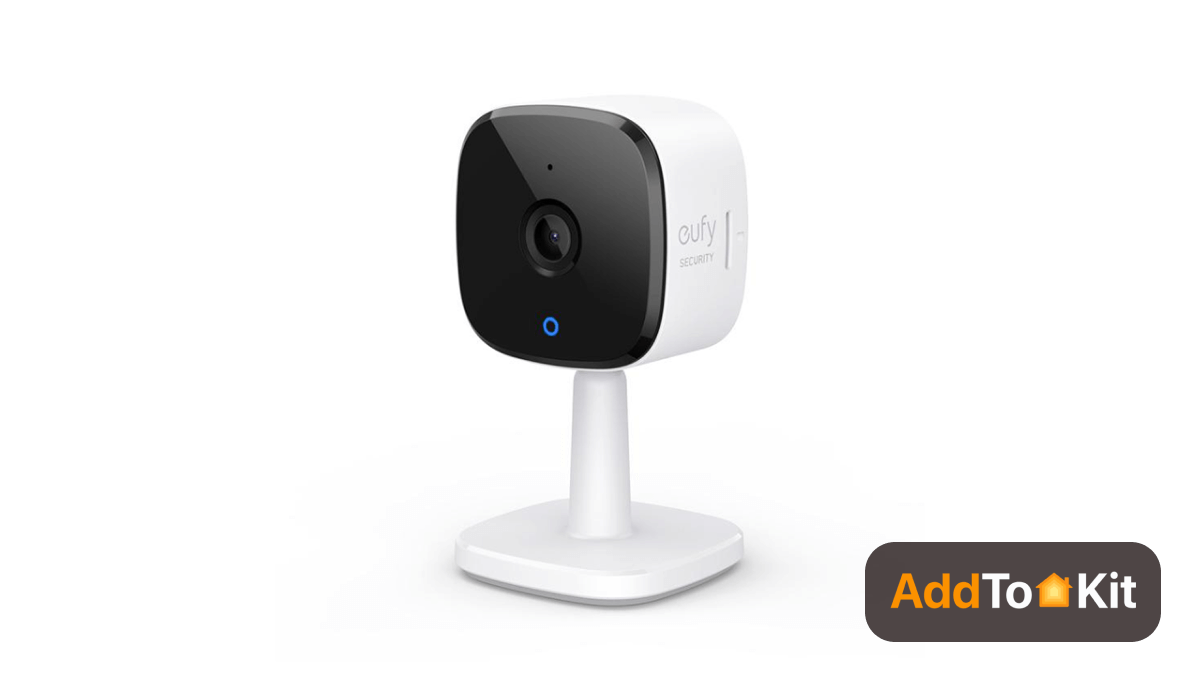
The Eufy Solo indoorCam C24 is the best HomeKit enabled indoor camera with 2K resolution video day and night. So, it captures sharp images.
It offers several features:
- 125-degree field of view
- MicroSD card or network-attached storage (NAS)
- Sharp 2K video
- Works with Google Assistant and Amazon Alexa in addition to Apple HomeKit
- Intelligent motion detection
Key specification of Eufy Solo indoorCam C24
| Size | 2.24 x 2.24 x 4.11 inches |
| Weight | 3.68 ounces |
| Field of view | 105 degrees |
| Resolution | 2K |
| Storage | Local/ cloud |
| Color | White/Black |
| Connectivity | Wi-Fi |
Best HomeKit Compatible Outdoor Camera
Aqara Camera Hub G5 Pro
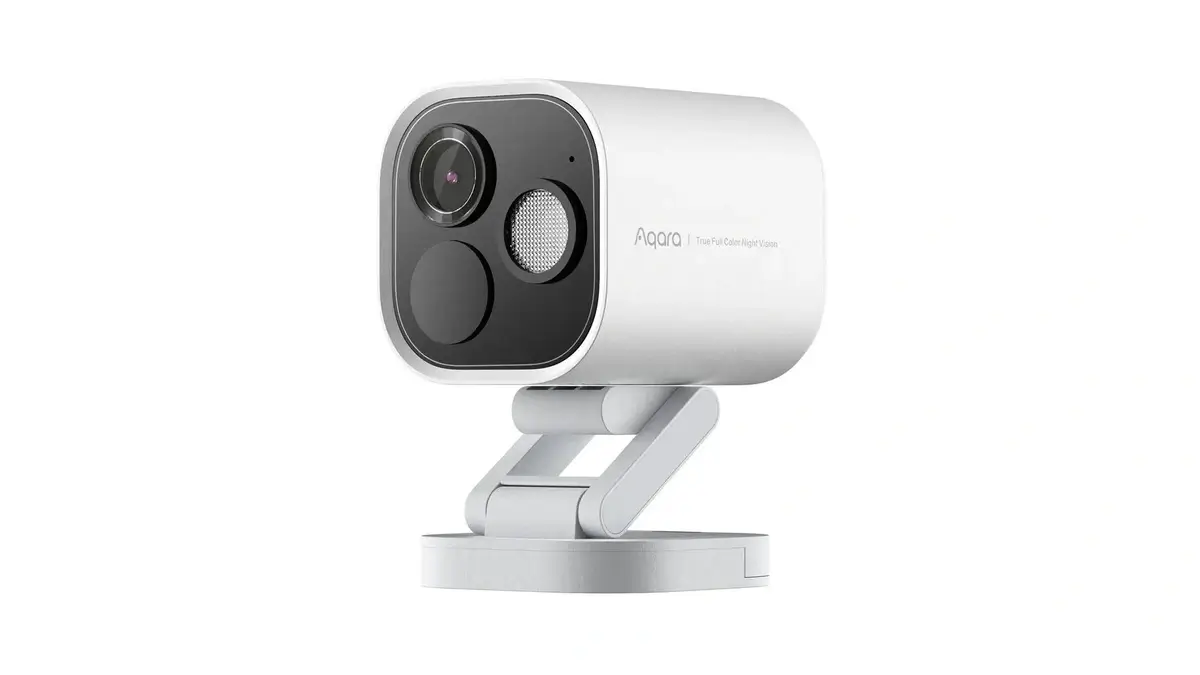
Aqara Camera Hub G5 Pro is an outdoor camera with native HomeKit Secure Video support. With a compatible iCloud+ plan, recordings can be securely stored through Apple's HomeKit Secure Video service.
The G5 Pro also works as a Zigbee hub and Thread border router, allowing it to play an additional role in a smart home setup. It is designed for outdoor use and is available in Wi-Fi and Power over Ethernet versions.
- HomeKit Secure Video support
- 4MP (2.6K) video resolution
- Thread border router and Zigbee hub
- IP65 outdoor rating
- Wi-Fi and PoE versions available
Key Specifications of Aqara Camera Hub G5 Pro
| Resolution | 4MP (2.6K) |
| Field of View | 133° |
| Storage | Built-in local storage, optional cloud storage |
| Connectivity | Wi-Fi (2.4/5 GHz) or PoE |
| Weather Rating | IP65 |
Best HomeKit Compatible Video Doorbell
Aqara Video Doorbell G4
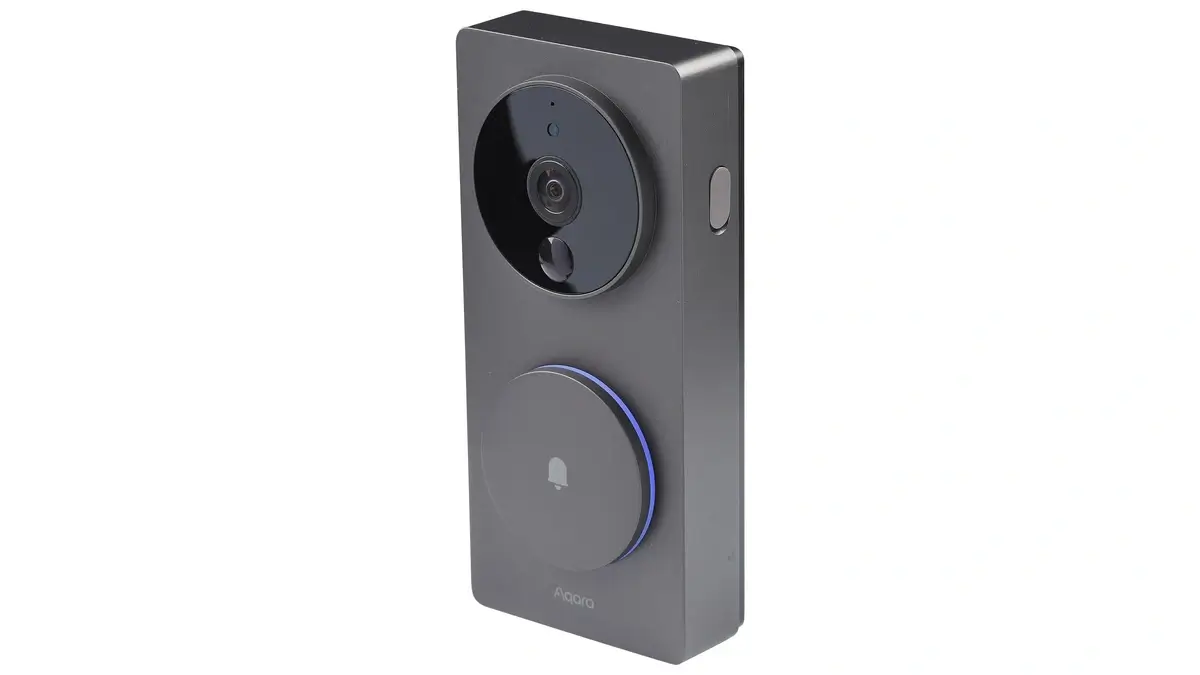
Aqara Video Doorbell G4 supports HomeKit Secure Video and can be installed using battery power or a wired connection. It comes with a separate indoor chime repeater that works with the doorbell.
The G4 also provides local face recognition and can use recognized faces as part of smart home automations. This gives Apple Home users another option for adding a video doorbell without giving up HomeKit integration.
- HomeKit Secure Video support
- Local face recognition
- Battery or wired installation
- Indoor chime repeater included
Key Specifications of Aqara Video Doorbell G4
| Resolution | 1080p FHD |
| Field of View | 162° |
| Power | 6 AA batteries or wired power |
| Storage | Local microSD and cloud storage options |
Best HomeKit compatible thermostat
ecobee Smart Thermostat Premium
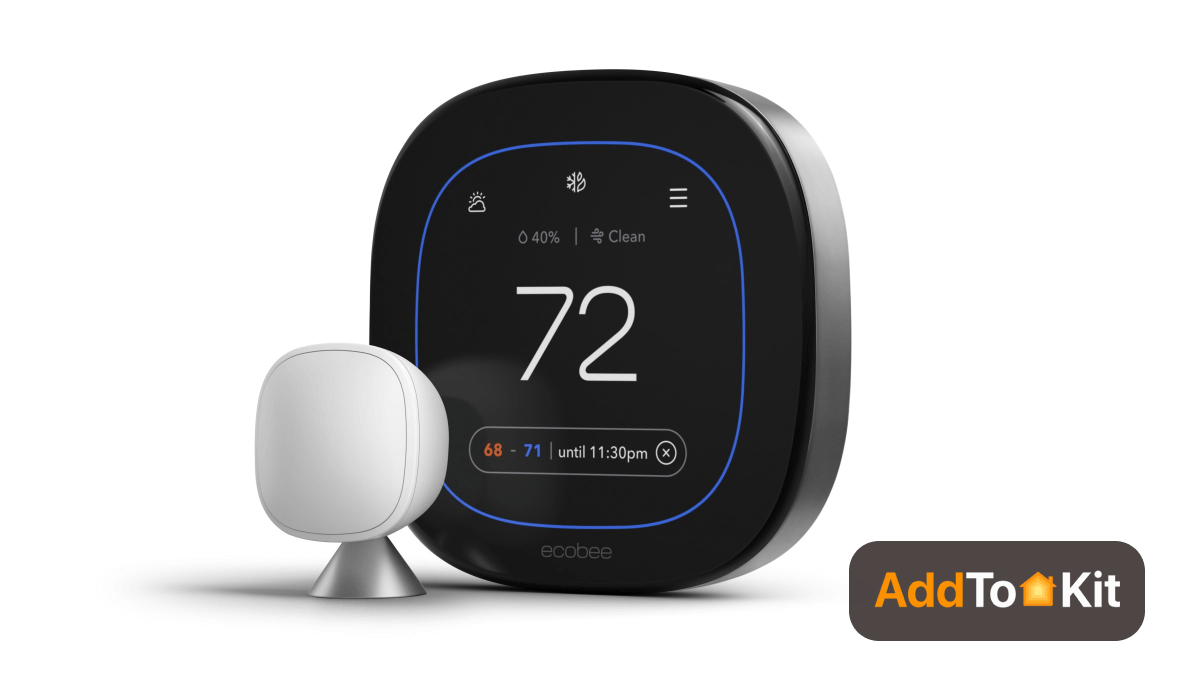
The ecobee Smart Thermostat Premium is a HomeKit-compatible thermostat with built-in Siri and an integrated speaker. It also includes an indoor air quality monitor that can track air quality conditions in your home. It has:
- An attractive display
- User interface
- Improved speaker
- Better touchscreen
- Remote room sensor
- Dual-band Wi-Fi
In addition to working with HomeKit, the Ecobee thermostat works with Amazon Alexa.
You can control the thermostat using your voice or via an Ecobee app. However, it requires a three-wire thermostat for power when installing the Ecobee. And, you can also use an adapter cable for this. If you want to save up to 26% annually on heating and cooling costs, you can use this smart buddy.
Key specification of Ecobee smart thermostat with voice control
| Size | 4.3 x 2.4 x 2.4 inches |
| Weight | 7.2 ounces |
| Color | White |
| Wattage | 10 watts |
| Light type | LED |
Best HomeKit Compatible Smart Lighting Starter Kit
Philips Hue White LED Starter Kit
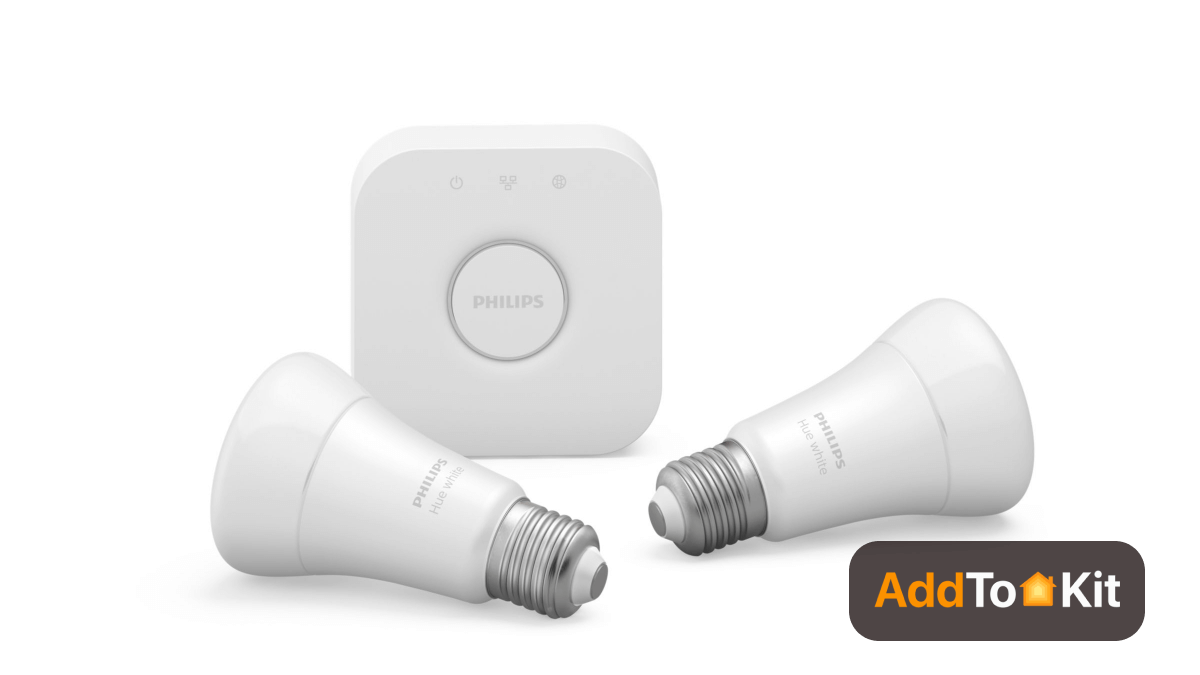
Do you want to take lighting to the next level? Then Philips Hue is the best HomeKit compatible smart bulb when you skip the colors and focus on the Hue White light bulbs. Philips bulb is the best HomeKit compatible light bulb I have ever seen.
Not only the colour, but also this Home Kit Light Bulbs has several useful features such as:
- Dimmable
- Works with many smart home system
- Comprehensive app
- Highly customizable
Also, you can create custom scenes via your smartphone or tablet. Further, the install process is very easy. First, you have to install the bulb at your choice of location. Then download the app and pair your Hue hub.
Key specification of Philips Hue White LED Starter Kit
| Size | 4.3 x 2.4 x 2.4 inches |
| Weight | 7.2 ounces |
| Color | White |
| Wattage | 10 watts |
| Light type | LED |
Best HomeKit Compatible Smart Bulb
Nanoleaf Essentials
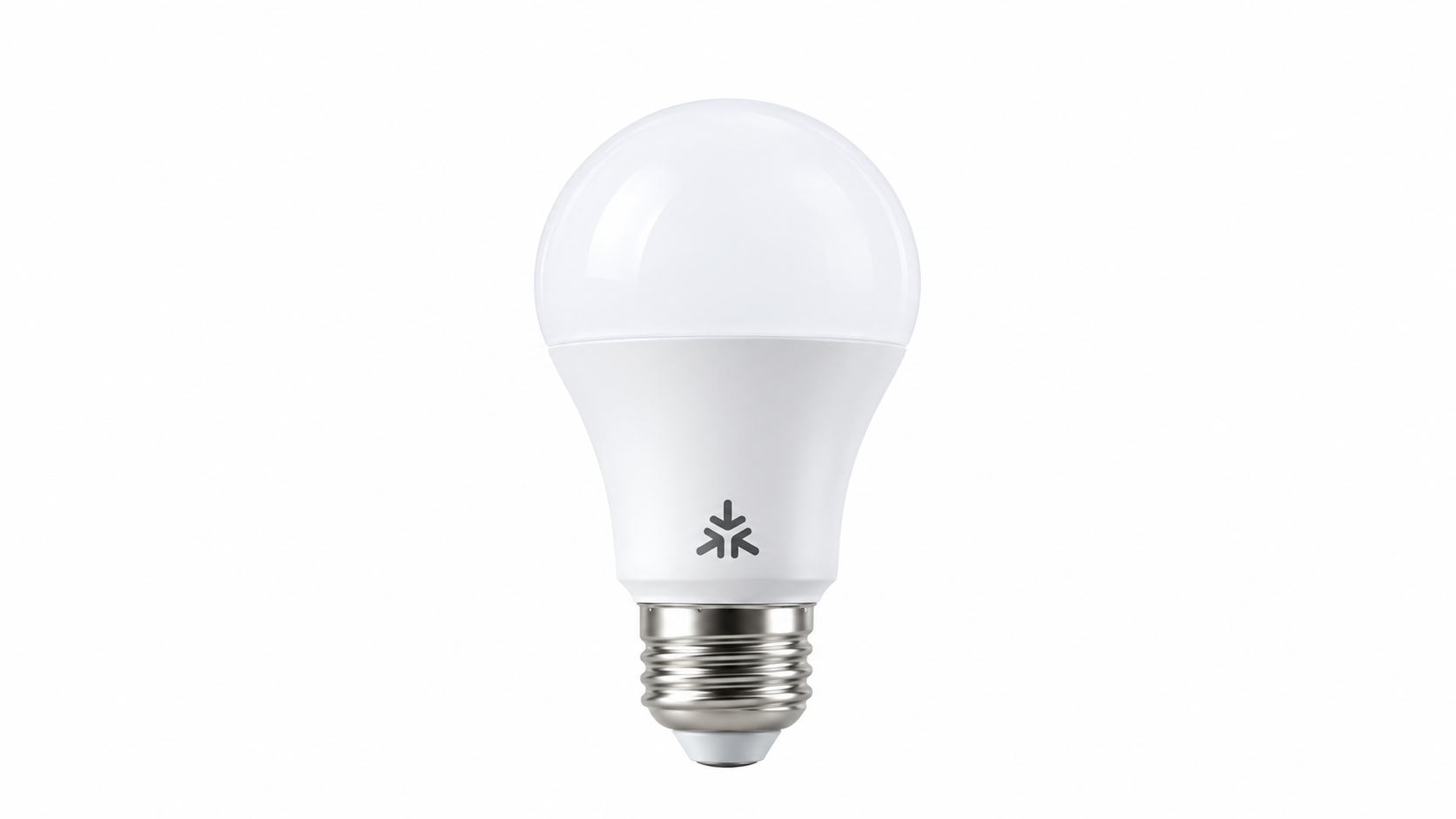
Nanoleaf Essentials is a good option if you want an individual color smart bulb instead of a complete lighting starter kit. Current Matter-enabled models use Matter over Thread and can be added to Apple Home with a compatible setup.
The bulb supports millions of colors and adjustable white lighting. Additional lighting features and controls are also available through the Nanoleaf app.
- Matter over Thread support
- Works with Apple Home
- 16+ million colors and tunable white light
- Standard E26 socket
Also Worth Considering: August Smart Lock (Retrofit Pick)
August Smart Lock
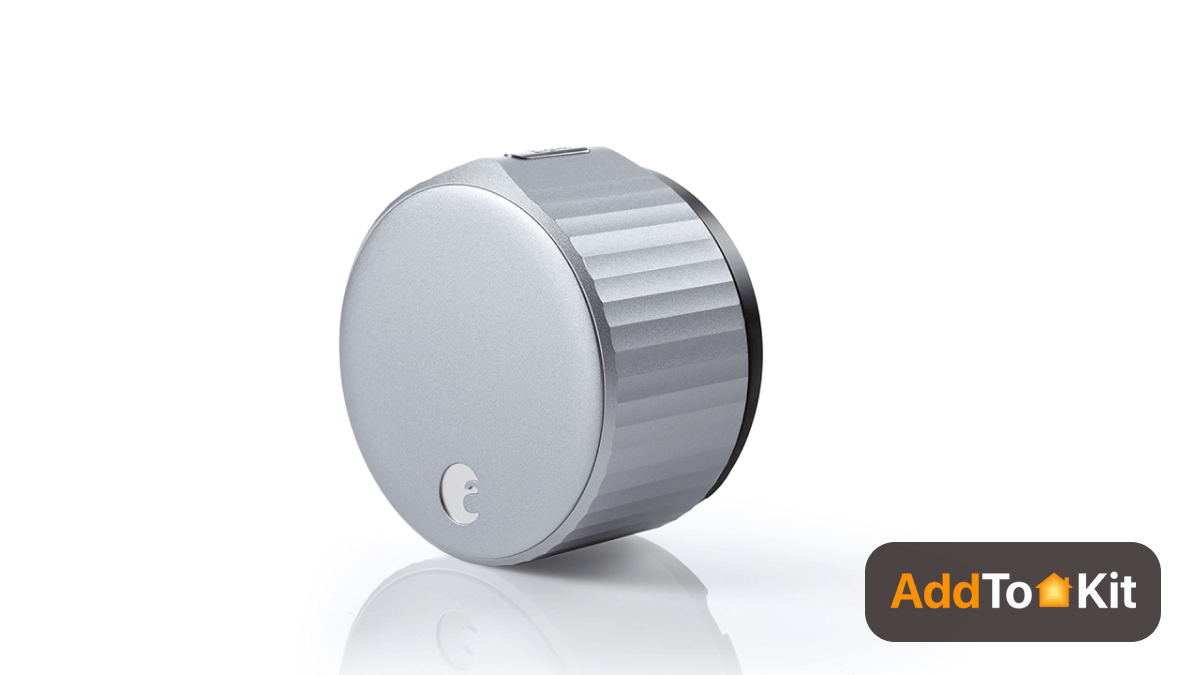
Sometimes you can’t remember correctly whether your front door is locked or not. Don’t worry anymore. You can easily ask Siri about the status of your door. You can lock or unlock your door using your voice. So, you don’t want to wake at night. It has features like:
- Wi-Fi built-in
- Easy to use
- Works with many smart home devices
- Smaller size
August Wi-Fi Smart Lock also includes a retrofitted August lock and a DoorSense open close sensor. And, it works with your favorite voice assistants such as Siri, Google Assistant, or Amazon Alexa. And yes! You can get unlimited user codes. If you like to track who is coming and going, it gives you access to selected people.
Key specification of August Smart Lock
| Size | 2.8 x 2.8 x 2.75 inches |
| Weight | 1.54 pounds |
| Batteries | 4 AA |
| Color | Silver/Matte Black |
| Material | Metal |
Best HomeKit Compatible Smart Lock
Schlage Encode Plus
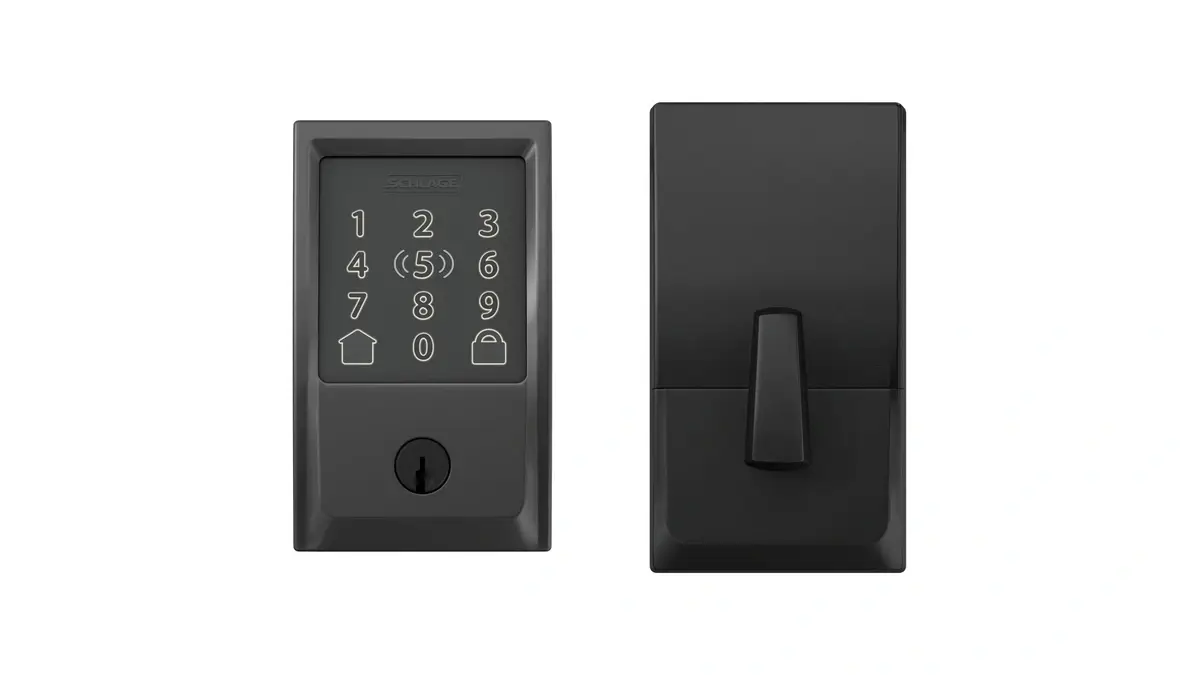
Schlage Encode Plus is a strong choice for Apple Home users who want several ways to unlock their door. It supports Apple Home Key, so you can unlock the door by holding a compatible iPhone or Apple Watch near the lock.
It supports Wi-Fi and Thread connectivity and also includes an illuminated keypad for access codes. A traditional key cylinder provides another backup option.
- Supports Apple Home Key
- Wi-Fi and Thread connectivity
- Illuminated touchscreen keypad
- Physical key backup
Key Specifications of Schlage Encode Plus
| Exterior Size | 3 x 5 x 0.9 inches |
| Interior Size | 3 x 5.5 x 2.2 inches |
| Batteries | 4 AA |
| Connectivity | Wi-Fi, Thread |
| Styles | Century, Camelot |
Best HomeKit Compatible Hidden Smart Lock
Level Lock Pro
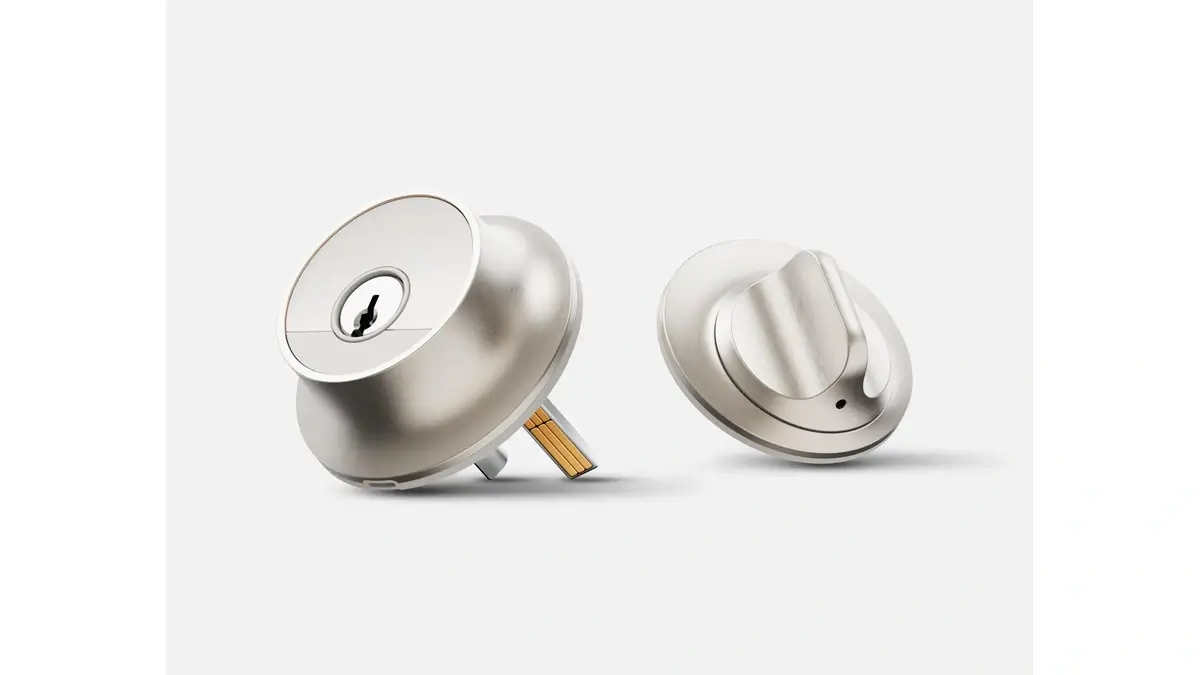
Level Lock Pro is designed for users who want smart-lock features without a bulky smart lock on the door. Most of its hardware fits inside the door, helping it keep the appearance of a traditional deadbolt.
It works with Apple Home through Matter over Thread and supports Apple Home Key for unlocking with a compatible iPhone or Apple Watch. It also includes door-status sensing to detect whether the door is open or closed.
- Apple Home Key support
- Matter over Thread connectivity
- Built-in door status detection
- BHMA/ANSI Grade AAA rating
- IP54 water and dust resistance
Key Specifications of Level Lock Pro
| Battery | CR2 |
| Connectivity | Matter over Thread |
| Water/Dust Resistance | IP54 |
| Finishes | Matte Black, Satin Nickel |
Best HomeKit compatible smart plug
Eve Energy
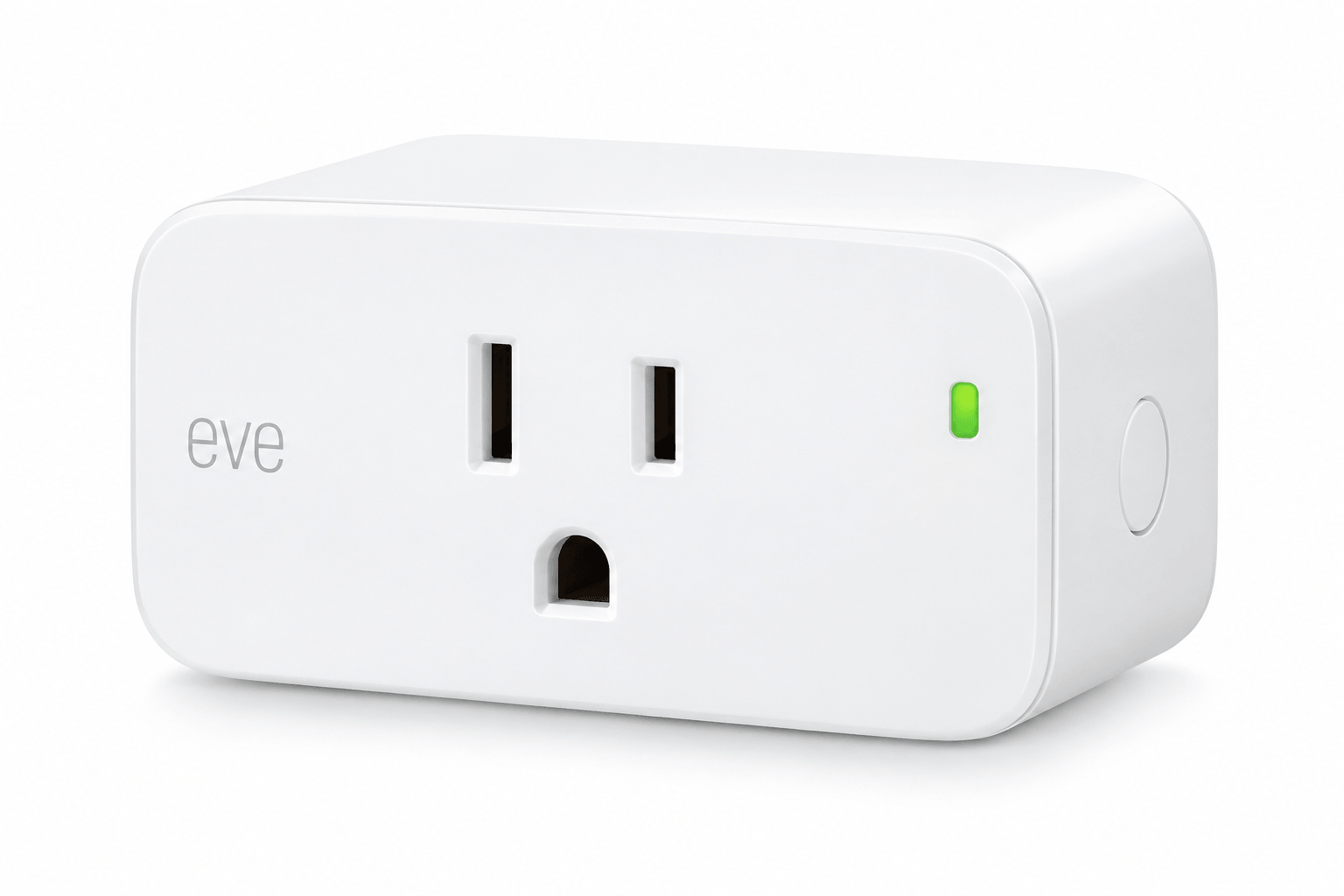
If you want to turn a lamp, fan, or coffee maker into a smart device, Eve Energy is a strong HomeKit compatible smart plug for Apple Home users. It works with Thread and Bluetooth and integrates with the Apple Home app and Siri.
Eve Energy also includes energy monitoring, so you can track how much power a connected device uses. It can also help extend your Thread network for other compatible HomeKit accessories.
Note: The Wemo Wi-Fi Smart Plug was previously featured here, but new HomeKit setup is no longer available following Belkin's Wemo app and cloud service shutdown on January 31, 2026. Wemo devices that were already paired with HomeKit before the shutdown can continue working locally. For existing Wemo devices, see our guide to keeping Wemo connected to HomeKit after the Belkin shutdown.
- Native Thread and Bluetooth connectivity
- Built-in energy monitoring
- Helps extend the Thread network
- No separate hub required for local control
Key specifications of Eve Energy
| Size | 2.5 x 1.5 x 1.3 inches |
| Electrical rating | 120V~/15A/1800W |
| Connectivity | Thread, Bluetooth |
| Voltage | 120 Volts |
Best HomeKit compatible smart dimmer switch
Lutron Caseta Wireless Smart Lighting Dimmer Switch Starter Kit
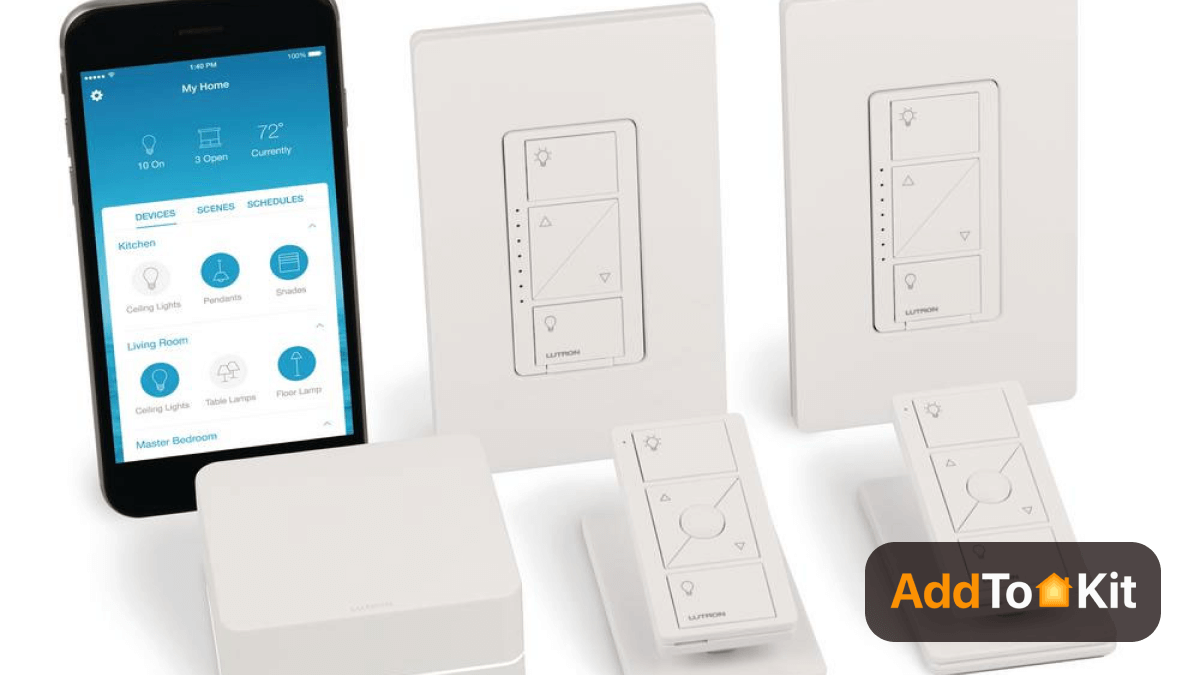
Lutron Caseta Wireless Smart Lighting Dimmer Switch Starter Kit is widely compatible and our favourite HomeKit dimmer switch. Are you too lazy to get out of your bed to turn the lights on or off?
This light switch dimmer has both on/off and dimmer control. Also, it offers remote control to control your switch from anywhere. This Home kit Light Switch includes:
- Two remotes and two in-wall switches
- Easy installation process
- Including geofencing
- Scene management
- Once you pair a switch and a remote, they will continue paired even when you are offline.
If you like to know about other smart light switch dimmers, you can see our Best Smart Light Switch Dimmer article.
Key specification of Lutron Caseta Wireless Smart Lighting Dimmer Switch
| Size | 2 x 5.94 x 6.75 inches |
| Weight | 1.12 ounces |
| Color | White |
| Voltage | 120 Volts |
| Wattage | 600 watts |
Best HomeKit Compatible Hub - Apple TV 4K (3rd Generation)
Apple TV 4K (3rd Generation)
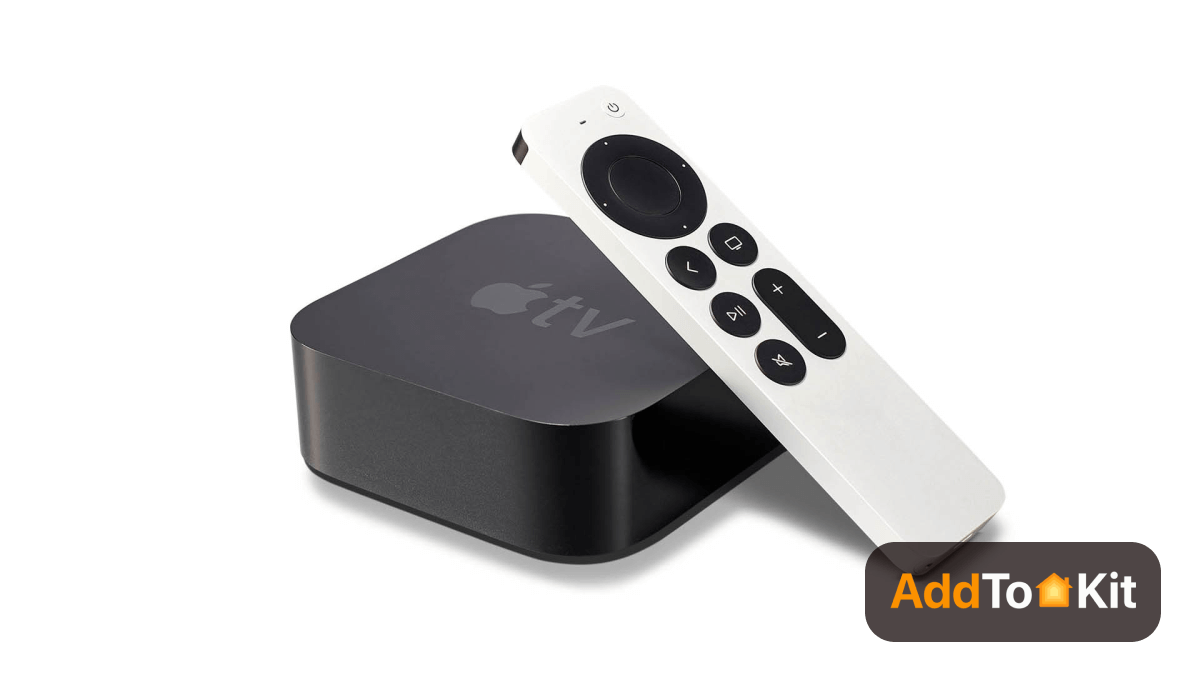
The Apple TV 4K acts as a bridge, so you can control any HomeKit enabled devices remotely when you leave home. It has:
- Siri built-in and supports 4K HDR content
- Great new remote
- Excellent 4K HDR
- Simple iOS and macOS
- Gigabit Ethernet for speedier networking
If you are an Apple customer, you will probably think about buying a HomeKit hub such as the Apple TV, HomePod Mini, or iPad. Also you can set up Apple TV as a HomeKit Hub
Apple TV 4K does a great job as a media streamer when compared to HomePod mini and iPad. It provides solid communication with Wi-Fi and Bluetooth smart devices.
It is an amazing device. You can communicate with popular Smart home devices and use the TV remote as a microphone to command your Siri voice assistant.
Key specification of Apple TV 4K
| Size | 3.9 x 3.9 x 1.4 inches |
| Weight | 15 ounces |
| Ports | HDMI 2.1, Ethernet |
| Processor | A12 Bionic chip with 64-bit architecture |
Best HomeKit Compatible Security System
Abode Smart Security Kit
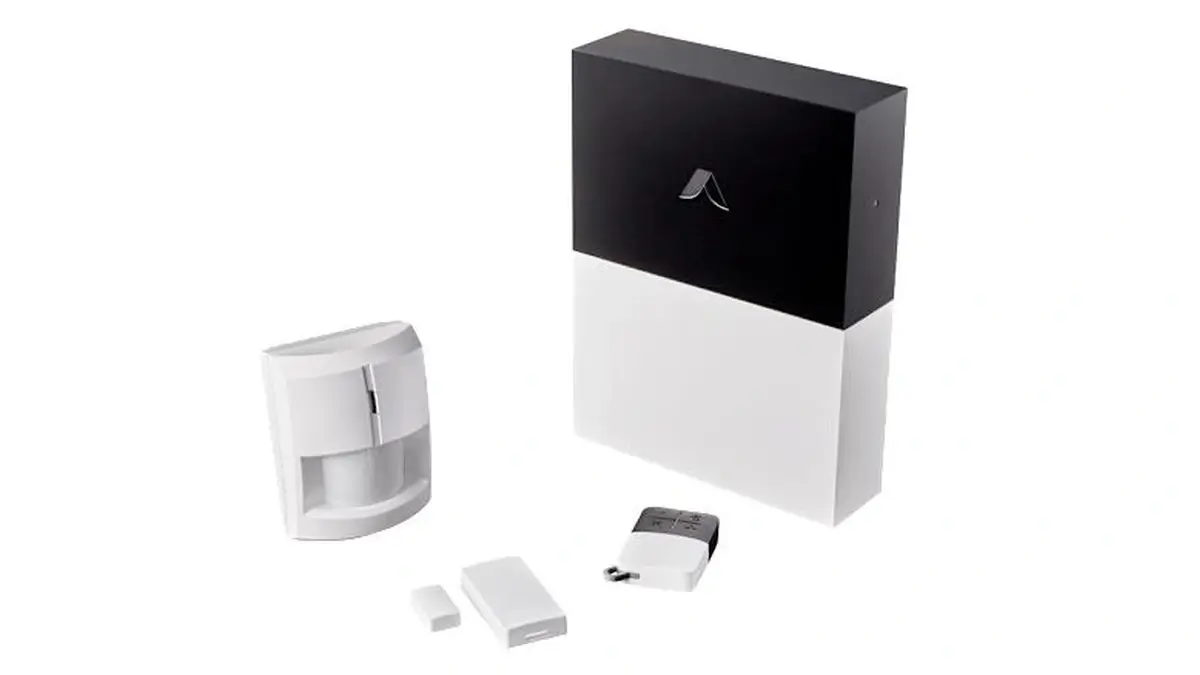
Abode Smart Security Kit is a DIY security system that can integrate with Apple Home when you choose a HomeKit-compatible Abode hub. It can be used with self-monitoring or optional professional monitoring, without requiring a long-term contract.
Hub compatibility is important. Abode's Smart Security Hub and iota support Apple HomeKit, while the base Security Hub does not. Check which hub is included before choosing an Abode system for an Apple Home setup.
- Apple HomeKit support with Smart Security Hub and iota
- DIY installation
- Optional professional monitoring
- Supports additional smart home platforms and protocols
Key Specifications of Abode Smart Security Kit
| HomeKit Compatibility | Smart Security Hub and iota |
| Installation | DIY |
| Monitoring | Self-monitoring or optional professional monitoring |
| Contract | No long-term contract required |
How to pick the best HomeKit devices for you?
There are many smart home devices on the market now. So, it is important to know how to pick the best devices for HomeKit.
If you are looking to buy the best Apple Home Kit compatible devices, you should consider several factors before buying. Following are the factors you can use to pick the best device.
Design: Does this device match your current home? What is the shape? Is it small enough? Do you want to make sure that it isn’t blocked on your other devices? You don’t want to create complications at home. You want to make it less complicated. So, when you buy smart home devices you want to consider their size and design.
Functionality: Do you want to choose the right devices? Then you think about its features. Sometimes, the same devices come from several brands.
So, you want to consider what functionalities does the smart device has? There are some special features such as Away mode. So, you need to pay attention to your daily routine. Then, you can choose the best devices for you.
Price: You want to make sure it fulfils your needs before buying it. Always, the cheapest device is not the best one. It is important to remember that Apple HomeKit compatible devices are more expensive than other devices.
There're so many Homekit compatible devices such as Homekit compatible cameras, Home Kit Smart Bulbs, Apple Home Kit Light Switches, HomeKit compatible Garage Door Opener, Apple Home Compatible Thermostat, Homekit compatible Doorbell
How does an Apple HomeKit device work?
Today, there are many smart home devices that you can integrate into your Apple HomeKit smart home. You want to know that most smart devices work well over Bluetooth or Wi-Fi.
But now, you can use a HomeKit hub such as HomePod mini as a third protocol. They increase the reliability of devices. So, you can communicate with each other easily.
Smart home devices like Vivint and Sonos which are Matter-supported, are greatly compatible with HomeKit as they can be directly integrated without a hub.
When you set up your Apple HomeKit devices:
- You need to scan the six-figure Homekit code on your smart device.
- Smart home devices will be paired, and they will display on your Apple Home app.
- Then, you can add your smart devices to your favourites. So, you can easy to access it anytime. Also, you can assign it to any room.
Why do I get started with Apple HomeKit?
If you are interested in HomeKit, you are willing and able to use Apple devices. HomeKit is especially for Apple users only. All you need to use is:
- An iPhone, Mac, or iPad
- Apple HomeKit compatible device
Then, you can control your HomeKit system easily. If you want to use smart home devices compatible with HomeKit, you want to select HomeKit enabled smart home devices.
Many popular smart home devices are HomeKit compatible such as smart locks, smart plugs, smart thermostats, smart bulbs, smart dimmer switches, and more. However, many devices are compatible with Amazon Alexa and Google assistant rather than Apple HomeKit.
How to make device HomeKit compatible?
Now, you have some idea about the best HomeKit compatible smart home devices. But, many Smart Home Devices don't natively support to the HomeKit. So, you may have some smart home devices that incompatible with HomeKit.
If you're own non-HomeKit compatible devices, don't worry about that. We got you covered. Now, you can connect any Smart Home Devices to HomeKit using third party software and hardware solutions.
Software Based Solutions
AddToHomeKit
AddToHomeKit is an web based solution and is a downloadable solution that has guidelines that you can use to add any smart home device, including ADT, to Apple HomeKit. It helps you to add any type of a smart home device to HomeKit. We can say that this is similar to a tour guide where it takes you to the destinations without having to struggle.
Homebridge
Homebridge is piece of third party software application that connects HomeKit-incompatible Smart Home Devices to Apple HomeKit. So, you can control your any devices with iOS Home app and Siri.
Now, you can connect any Smart Home Devices to HomeKit using Homebridge solution. And, you can install Homebridge on your Mac/PC by yourself using the above link.
Hardware Based Solutions
01. ATH Bridge [Affordable solution]
ATH bridge is an affordable way to add your non-HomeKit compatible smart home devices to Apple homeKit. It is pre-flashed and specially compiled server.
02. HOOBS
HOOBS is the best alternative for the Homebridge. This plug and play hub simplifies configuration and installation plugin rather than the Homebridge.
Conclusion
Apple HomeKit lets you control any compatible light bulb, camera, thermostat, and more. All you want to do is a simple tap of your iPhone and you can control it with your voice. Apple Home compatible devices are hitting your smart device market all the time. So, you can easily choose the best HomeKit compatible devices from any smart device category.
FAQs
When talking about the HomeKit vs SmartThings, Apple HomeKit is the Best Smart Home Ecosystem because it offers better features than SmartThings. It gives local connectivity and cloud connectivity. Therefore, HomeKit users have the ability to choose the connection they prefer. And, Siri brings privacy and security improvements.
No. TP Link Kasa Devices doesn't support HomeKit natively. But, these devices works with Apple HomeKit using bridge solutions. But Kasa works with Siri shortcuts.
Zigbee devices and Mi-Wi devices aren't currently compatible with Apple HomeKit. But, some Wi-Fi devices work with Apple HomeKit.
Eve Energy is our top pick for a HomeKit compatible smart plug in 2026. It supports Thread and Bluetooth, includes built-in energy monitoring, and can help extend your Thread network. The Wemo Wi-Fi Smart Plug is no longer recommended for new setups because new HomeKit pairing is no longer available after Belkin's Wemo service shutdown.
The best HomeKit accessories depend on what you want to automate. Popular options include smart plugs, locks, cameras, thermostats, lights, switches, and smart speakers. Look for accessories that support Apple Home natively or through Matter for easier setup and reliable control with the Apple Home app and Siri.
Check the product packaging or official specifications for Apple Home, HomeKit, or Matter compatibility. Compatible accessories can usually be added through the Apple Home app using a setup code. Some unsupported devices may require a bridge solution before they can work with Apple Home.
Not every HomeKit accessory needs a separate hub. Many compatible accessories can connect without a manufacturer-specific bridge. However, a HomePod or Apple TV can act as an Apple home hub for remote access and automations, while some products may still require their own bridge or hub.
Yes. Compatible Matter accessories can work with Apple Home and be controlled alongside your other smart home devices. Matter supports several device categories, including smart plugs, lights, locks, sensors, and thermostats. Always check the specific accessory's Matter support and Apple Home requirements before buying.


