
How to Set Up Schlage HomeKit: Add Any Schlage Lock to Apple HomeKit


I am going to say it, Schlage is one of the best smart locks out there and it is way too underrated. Integrating your Schlage smart locks with Apple HomeKit is a game-changer for home automation.
Schlage HomeKit compatibility has long been desired (by me and a lot of people) and I have found several third-party solutions to connect and control your Schlage devices through HomeKit. Let me explain each and every one I have tried out!
These are my best picks:
- AddtoHomeKit [Recommended Solution]
- ATH Bridge [Affordable Solution]
- HomeBridge
- HOOBS
These solutions stood out the most to me after testing them, I will guide you through step-by-step instructions to integrate your Schlage devices.
AddtoHomeKit [Recommended Solution]
Schalge AddtoHomeKit makes integration super easy. It offers plugins for a wide variety of devices, including Schlage smart locks. You just need to install the necessary plugins and follow the guides provided! I love love and love this solution; it requires no effort and basically does everything for you! With their recent update, you can now even request installation support which makes it even better.
Pros and Cons
Pros
- Provide step-by-step guides to connect Schlage locks to HomeKit.
- Overcomes the HomeBridge limitation.
- Add any devices to Apple HomeKit.
- Can find the most affordable method to add any device to HomeKit.
- Suggested the best methods for Schlage HomeKit.
Cons
- Requires a little technical knowledge
Step-By-Step Guide to Use AddtoHomeKit
- Visit the official AddtoHomeKit website.
- Select the Schlage smart lock from the device list.
- Choose your preferred operating system.
- Install the required HomeBridge Plugin for Schlage.
- Tap “Add to HomeKit” and follow the instructions.
ATH Bridge [Affordable Solution]
The ATH Bridge is a cost-effective, plug and play way to add Schlage locks to Apple HomeKit. It is a pre-compiled Homebridge server, so it works well if you want your Schlage lock connected without a complex setup.
HOOBS
HOOBS is a ready-made version of Homebridge. It is a user-friendly, open source bridge that makes connecting Schlage smart locks to HomeKit simpler for anyone who wants smoother automation.
Step-By-Step Guide to Use HOOBs
- Prepare your Network:
- Visit the HOOBS website:
- Boot up HOOBS:
- Access HOOBS Dashboard:
- Access HOOBS Configuration:
- Install Schlage Plugin:
- Configure the Schlage Plugin.
- Add Schlage Devices to HomeKit.
Make sure you have a stable WiFi network available, both your iOS device and HOOBs to the same wi-fi network.
You must flash the HOOBS image onto a microSD card using appropriate software (eg: BalenaEtcher or Raspberry Pi Image). Now, insert the microSD into the Raspberry Pi. Acquire and install HOOBS.
After the installation of HOOBS. Connect your Raspberry Pi to power and wait for HOOBS to boot up. HOOBS will appear as a Wi-Fi network namely “hoobs.local”, connect your device to this network.
Visit http://hoobs.local. And follow the on-screen instructions to complete the initial setup of HOOBS. You would most likely need to set up your admin account and connect HOOBS to your Wi-Fi network.
After completing the setup, you will be directed to the HOOBS dashboard where you can manage plugins and configure devices.
In the HOOBS dashboard, click on “Plugins” in the sidebar. Search for the plugin that matches your lock, such as homebridge-seam for Encode models. Click “Install”.
For a full walkthrough, see our HOOBS setup guidel
HomeBridge
If you are comfortable with coding, HomeBridge offers Schlage HomeKit integration with an open-source platform. This method is more technical but highly effective if you are familiar with customizing configurations. I have to say this is one of the most popular methods used and according to smart home reddit users, they prefer this over the upgrade (HOOBS)! I tried this out to, integrate Smartwings devices with HomeKit and it worked flawlessly.
Setp-By-Step Guide to Use HomeBridge
- Install HomeBridge
- Install Plugins
- Configure Plugins
- Restart HomeBridge
- Pair with HomeKit
- You will now see Schlage in HomeKit
Start by setting up HomeBridge on a Raspberry Pi (or any compatible platform).
Locate the HomeBridge plugins that are compatible with Schlage devices. (you can find HomeBridge plugins through AddtoHomeKit).
Open the plugin's settings in the Homebridge UI and sign in with the account it asks for. For Wi-Fi Encode locks, a cloud plugin such as homebridge-seam connects through the Seam API. For a Z-Wave Schlage Connect, use the Homebridge plugin for your Z-Wave hub instead. Save your settings and restart Homebridge.
Restart HomeBridge after the plugin configuration to apply the changes.
Open the Home App on your device. You will be able to locate the Schlage devices you have configured with the HomeBridge plugin. Now you can add your Schlage lock to Apple Home and control it through the Home app or via Siri.
And now Schlage is connected to Apple HomeKit.
It is a very effective method to integrate any smart device with Apple HomeKit, even an Alexa HomeKit integration or a DLink HomeKit integration is possible with this!
What to Do with a Schlage HomeKit Integration
With a Schlage integration with HomeKit, you can perform the below tasks:
- Unlock/ lock your Schlage deadbolts from your iPhone or Siri.
- Watch screen/ notifications on the Apple Home App.
- Operate and check the status of your lock through Siri (when near the lock).
- Create and manage always-on access codes in the Apple Home app (applicable to the Schlage Encode Plus Deadbolt)
- With Apple Home Keys, you can lock/ unlock the door with just a tap.
- Offers the ability to use your iPhone or Apple Watch as a key without the need for authentication for quick access.
Troubleshooting Schlage HomeKit
- Check Power Supply (Batteries)
- Ensure the lock has sufficient battery power. Low batteries may cause connectivity issues.
- Replace the batteries if necessary, following the instructions in the user manual.
- Check Your HomeKit Setup
- Ensure the Schlage lock is properly added to the Home app. Open the Home app and check if the lock shows up correctly.
- If it's missing, try removing and re-adding the lock.
- Check Bluetooth and Wi-Fi
- Bluetooth: Ensure your iPhone/iPad is within Bluetooth range of the lock (usually within 40 feet).
- Wi-Fi: If your Schlage lock uses a Wi-Fi adapter, make sure it is connected to the same Wi-Fi network as your HomeKit device.
- Restart your router if necessary to reset your network.
- Reset the Lock
- If your lock is still not functioning properly, you may need to reset it.
- To reset, follow these steps (make sure to consult the user manual for specific instructions):
- Press and hold the Schlage button on the lock.
- Wait for the indicator light to flash red.
- Release the button.
- Re-pair the lock with the Home app.
- Check for HomeKit Connectivity
- iOS updates: Ensure your iPhone/iPad is running the latest iOS version to maintain compatibility.
- Home app updates: Make sure the Home app is updated to the latest version.
- Check for Interference
- Other wireless devices in your home could be causing interference with the lock’s signal.
- Try temporarily moving devices that may cause interference (e.g., microwaves, other Bluetooth or Wi-Fi devices) further from the lock.
- Factory Reset (Last Resort)
- If the above steps don’t work, you may need to perform a factory reset on your Schlage lock.
- Follow the instructions from the user manual or visit Schlage’s support website for detailed reset steps.
- After resetting, you’ll need to set up the lock again from scratch.
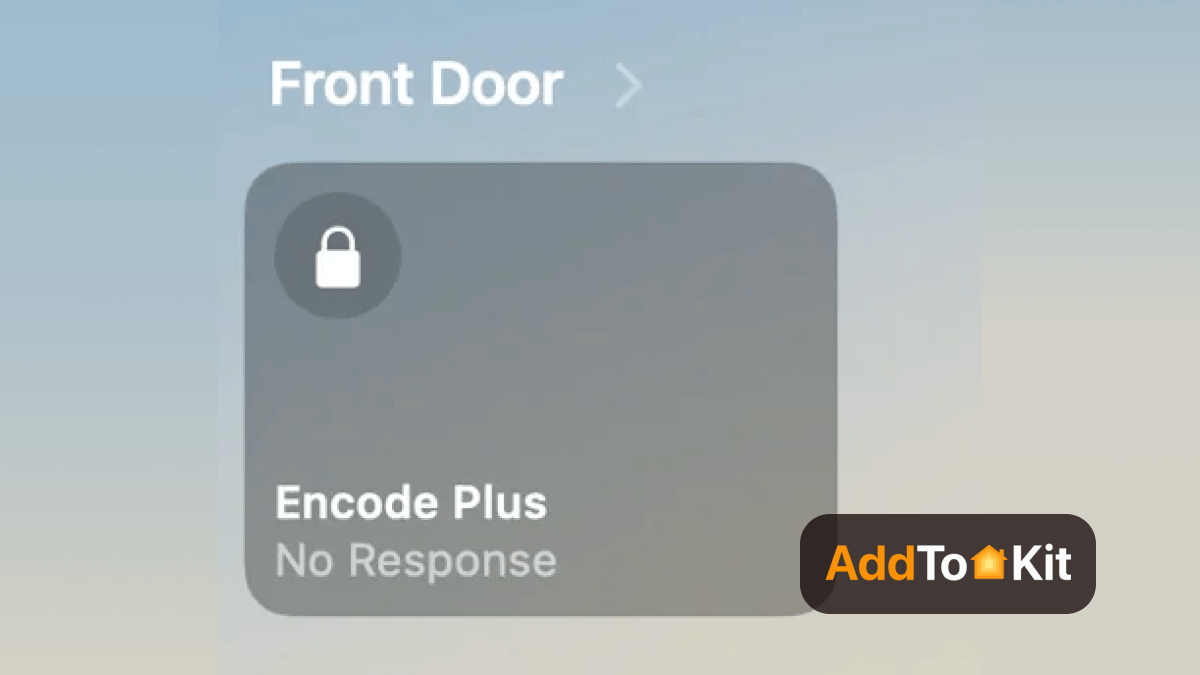
HomeKit Compatible Schlage Devices
The following devices are compatible with HomeKit, which means you can control add Schalge devices to HomeKit and control them via the Home app or Siri voice commands. This ensures smooth home automation for HomeKit users!
Schlage Sense Pro Smart Deadbolt
The Sense Pro is Schlage's newest lock and its first with Matter over Thread. It works in the Apple Home app, supports Apple Home Key tap to unlock, and adds hands-free unlocking over Ultra Wideband when you walk up with a compatible iPhone or Apple Watch.
Pros
- Matter over Thread plus built-in Wi-Fi
- Apple Home Key with UWB hands-free unlock
- Up to 250 access codes
- Four AA batteries, up to six months per set
- Pairs with Apple Home without a bridge
- Hands-free unlocking with Apple Home Key
- Works with other Matter platforms too
Cons
- $399 launch price
- Needs a Thread home hub for its Thread connection and remote control
Schlage Encode Plus (BE499) Smart Wi-Fi Deadbolt
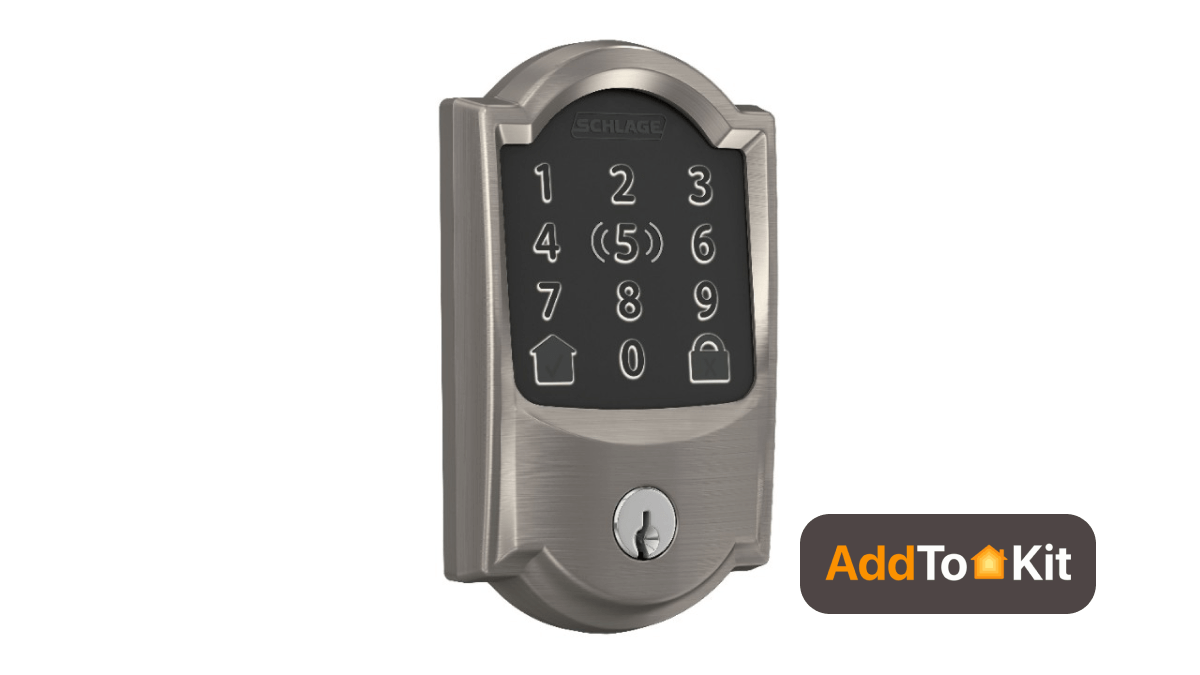
The Schlage Encode Smart Wi-Deadbolt is an amazing smart lock with Wi-Fi, designed for seamless HomeKit integration. According to Schlage it also works with Siri, Alexa and Google Assistant and I tried it out with both Siri and Alexa, it worked great.
-
Wi-Fi connectivity
-
HomeKit security features
-
Control via Apple’s Home app.
-
Works with Siri, Alexa and Google Assistant
-
Compatible with AirBnB and Ring
-
Apple Home Key tap to unlock
Pros and Cons
Pros
- Easy to setup
- No need for additional bridges
- Voice control with Siri
Cons
- Requires a strong Wi-Fi connection.
Schlage Smart Sense Deadbolt
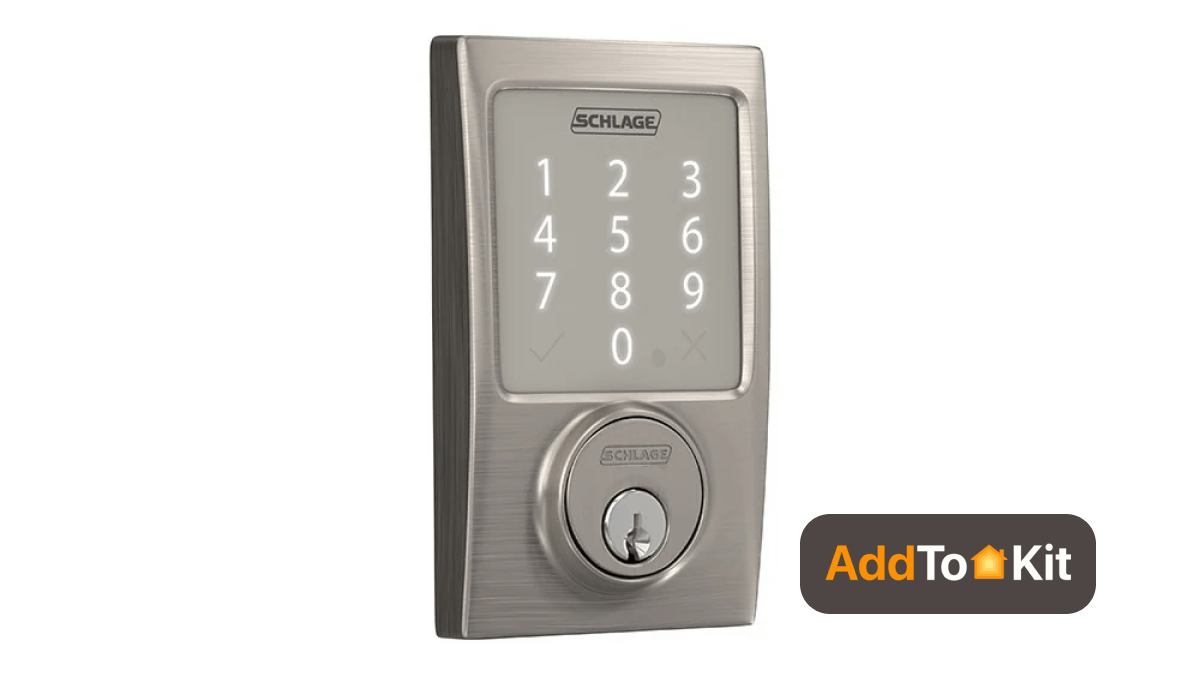
This is a relatively older model (BE479, now discontinued), but it is very popular amongst HomeKit users, it offers Bluetooth integration and Siri control! It also works with Ring, Alexa and Google Assistant
-
Bluetooth connectivity
-
HomeKit compatibility
-
Auto-lock features
-
Works with Ring, Alexa, Siri and Google Assistant
Pros and Cons
Pros
- Relatively affordable
- HomeKit and Siri control
- Sturdy build
Cons
- Bluetooth range limitation
- Remote access needs an Apple home hub
See more: Apple Home Key Compatible Smart Door Locks
Ring Compatible Schlage Devices
These are some of the Ring compatible Schlage devices:
Schlage Encode Smart Wi-Fi Deadbolt
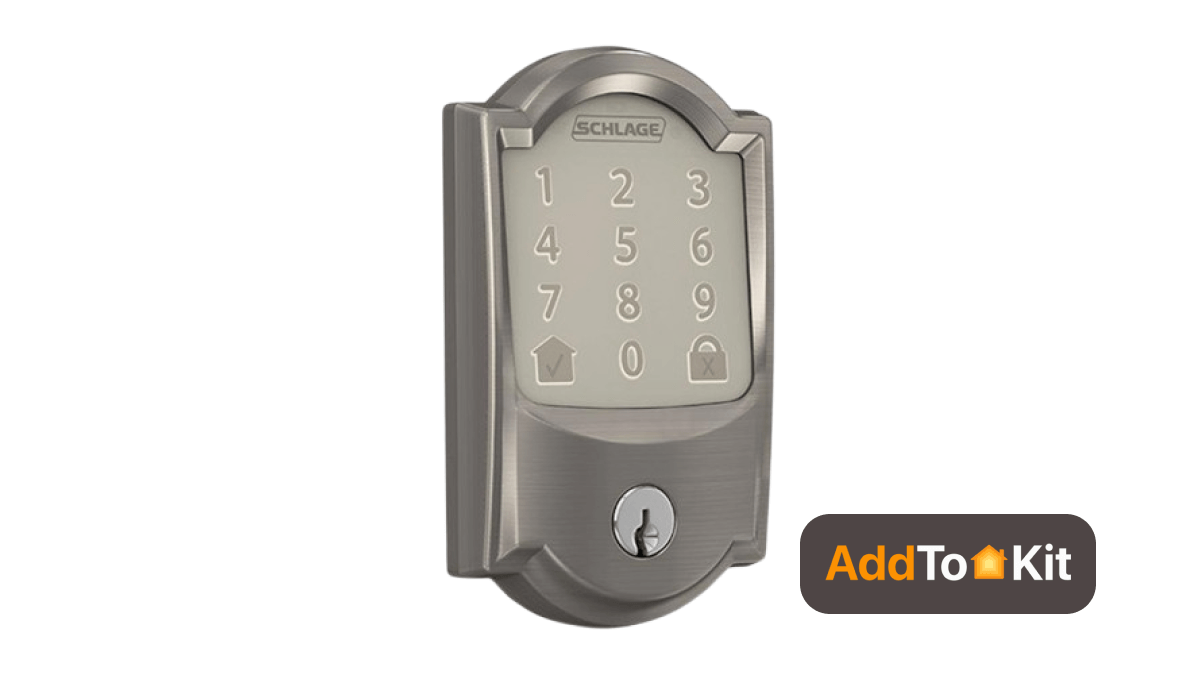
It is both convenient and secure. It allows you to control access from anywhere with the Ring app. It is also equipped with a built-in alarm feature and does not require a separate hub.
-
No hub required for direct Wi-Fi connectivity
-
Built-in alarm technology for security alerts.
-
Supports up to 100 access codes.
-
Compatible with Ring for remote control.
Pros and Cons
Pros
- Easy installation
- No hub required
- Remote access via Ring app
Cons
- Limited compatibility with non-Ring devices
Schlage Connect Smart Deadbolt (Z-Wave)
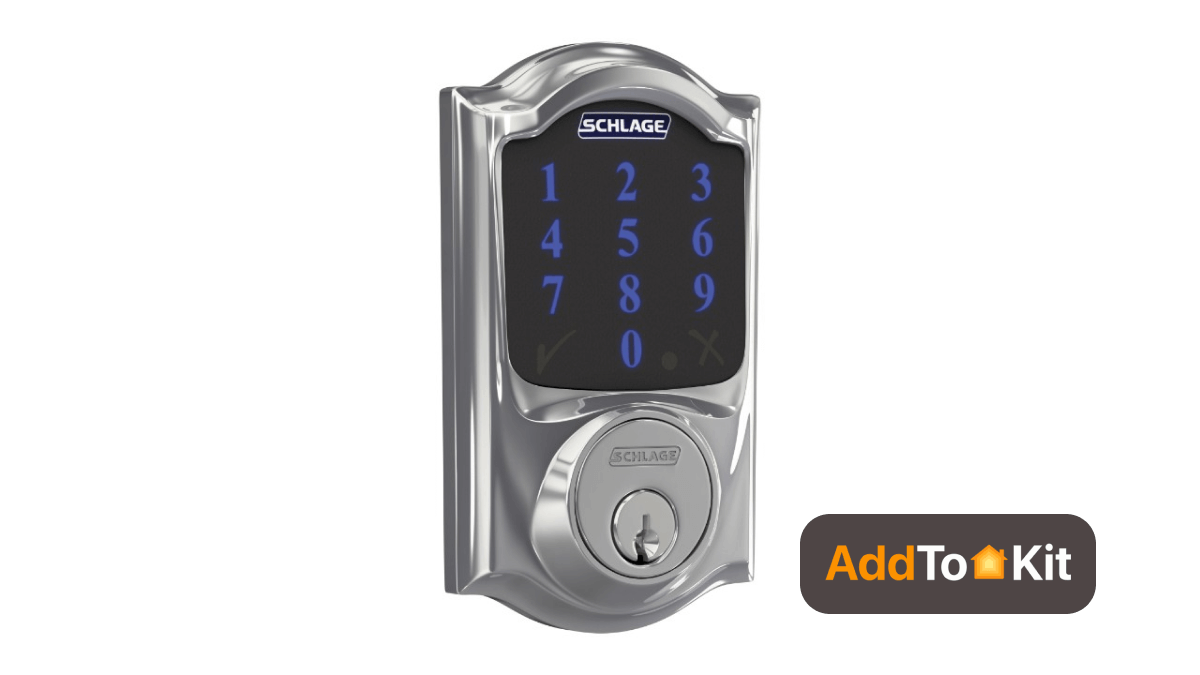
It has ZWave compatibility which allows it to create seamless integration with the Ring Alarm System. It has amazing security features; it can also create multiple access codes.
-
ZWave technology for home integration
-
Supports up to 30 access codes
-
Built-in alarm technology
-
Compatible with Ring
Pros and Cons
Pros
- Strong security features
- Flexible access code management
- Work with Ring for enhanced control
Cons
- Requires Z-Wave hub for functionality
- Reported complex installation
Schlage Matter Compatibility
Schlage's first Matter lock is the Schlage Sense Pro Smart Deadbolt (BE889), which went on sale on June 29, 2026 for $399 in the US. It uses Matter over Thread, so it joins Apple Home through a Thread-enabled home hub such as a HomePod mini, HomePod (2nd generation) or Apple TV 4K. The Encode Plus does not support Matter and still connects to HomeKit directly
Schlage Google Home
Schlage Wi-Fi locks such as the Encode and Encode Plus work with Google Assistant through the Schlage Home app. The Sense Pro can also join Google Home through Matter
Editor's Pick
My personal preference would be AddtoHomeKit to connect any device to Apple HomeKit. As I mentioned several times before I would recommend you use AddtoHomeKit for a Schlage HomeKit configuration as it is easy and less time-consuming. So, if you struggle with coding and technicalities, AddtoHomeKit would be the best option for you. However, make sure to know all your needs and find the best option for you! Hope this article helped!
FAQs
Yes, as of 2026. The Schlage Sense Pro (BE889), released on June 29, 2026, is Schlage's first Matter over Thread lock and joins Apple Home through a Thread-enabled home hub such as a HomePod mini or Apple TV 4K. The Encode Plus and older Schlage locks do not support Matter.
Set the lock up in the Schlage Home app and choose Apple HomeKit when it asks how to connect, or open the Apple Home app, tap Add Accessory and scan the HomeKit code on the lock. Once it is paired, you can add a home key to Apple Wallet for tap to unlock.
Yes. Once a Schlage lock is in the Apple Home app, either natively or through Homebridge, you can lock or unlock it with Siri and use it in scenes and automations. Siri control from outside your home needs an Apple home hub such as a HomePod or Apple TV.
The Schlage Encode (BE489), Encode Lever (FE789) and Z-Wave Schlage Connect cannot pair with Apple Home on their own. Encode models can be added through a cloud plugin such as homebridge-seam, and the Connect needs a Z-Wave hub plus that hub's Homebridge plugin. The Encode Plus and Sense Pro need no bridge.
Yes. Locks paired natively with Apple Home use HomeKit's end-to-end encryption, and the Encode Plus carries a BHMA/ANSI Grade 1 rating. Bridged locks depend on your Homebridge setup as well, so keep the server updated and on your local network.


